Additional Events
In version 2.0+, OnMessage and OnCheer are also bindable by this system. Event discriptions have been included accordingly. Furthermore, OnRitual was removed in 2.0+.
Recent updates to TwiWorks have introduced various (experimental) events that can detect new subscriptions, rituals, raids and more. Though some of these features are in early access/still experimental, a short description of the ones that are used the most will be given below.
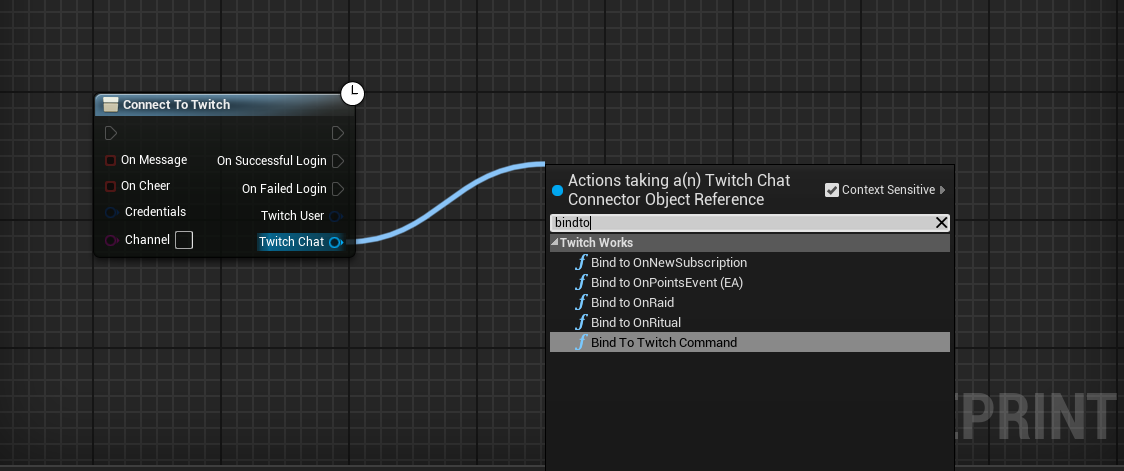
But first, let's take a quick look at binding to these events. Drag out from your Connect to Twitch node's Twitch Chat pin, and select the event you would like to bind to.
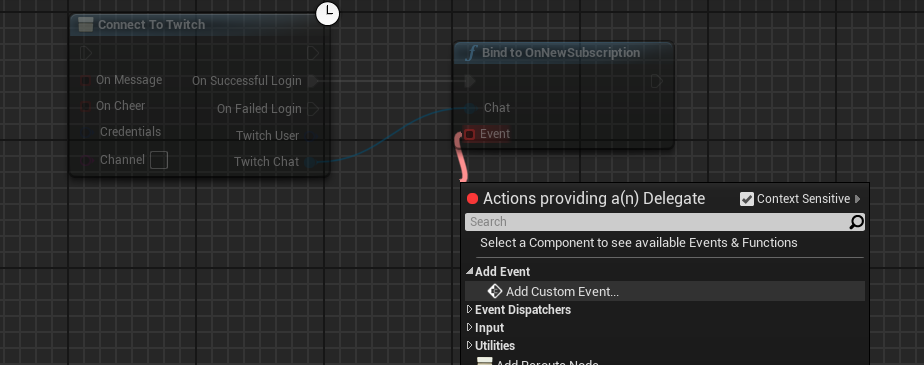
Next, break the connection to the main execution pin, and connect the node to the OnSuccessfulLogin pin (see the screenshot below). We recommend binding to events as soon as the connection succeeds and before any of your other code executes.
Finally, drag out from the newly created node's Event pin, and select Add Custom Event.... You should now be able to hook your own logic up to this event and use the properties it exposes.
OnMessage
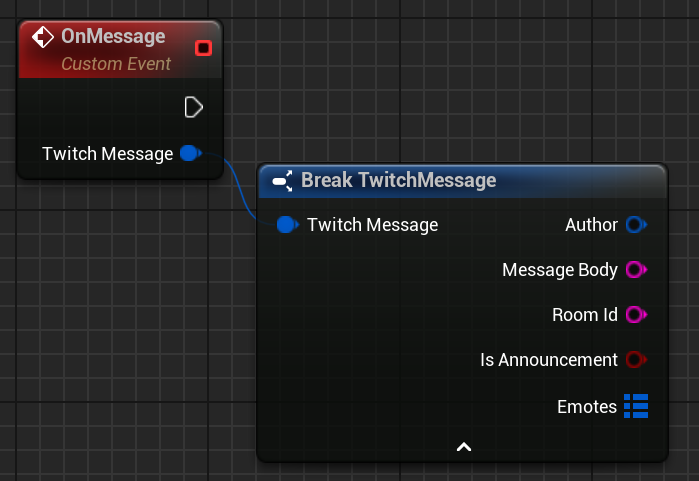
The OnMessage event will trigger whenever a message or announcement has been sent in the channel's Twitch chat. This includes messages that you send from the plugin, so be careful about infinite loops if messages trigger a response! In any case, each message includes information about the author/sender of the message, the message they sent as well as some metadata. This metadata includes the character positions of emotes in the message (if any) and whether or not it was an announcement (among other attributes.)
OnCheer
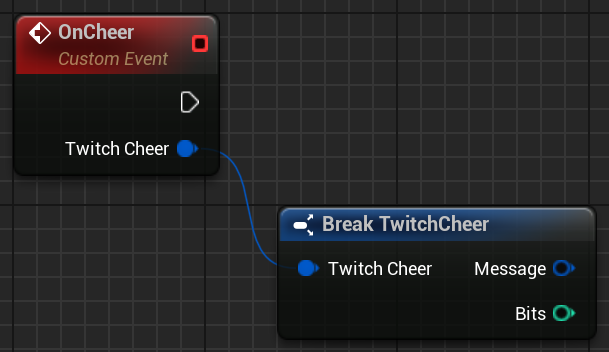
The OnCheer event will trigger whenever a user cheers in chat. This means they attached bits (a paid virtual currency on Twitch) to their message. It is essentially the same event as an OnMessage event, but inclues the number of bits attached to the message. It is worth noting that, as of writing, cheers and announcements don't go together, so please ignore the bIsAnnouncement flag in the message struct.
OnWhisper
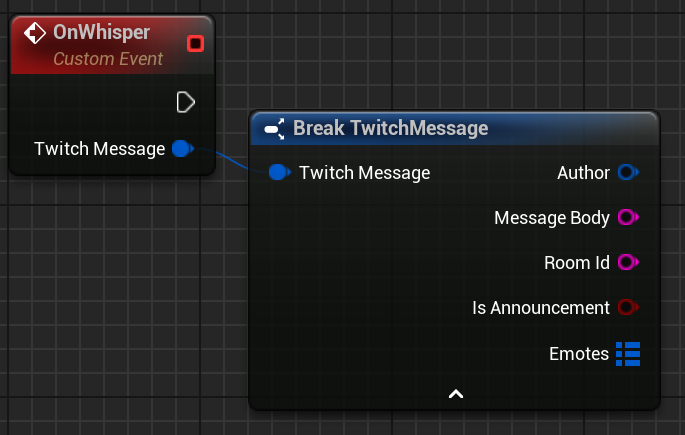
Virtually identical to th OnMessage event, OnWhisper will trigger whenever a user sends a private message (or whisper) to you.
OnNewSubscription
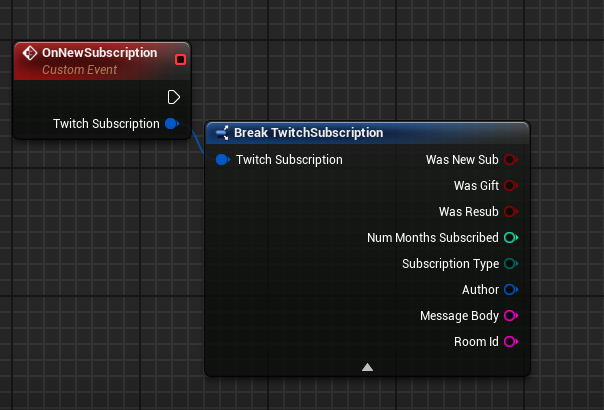
The OnNewSubscription event will trigger whenever a user subscribes to the user's channel, or gifts a subscription to another viewer of your channel. The event will expose some information about the length of the subscription, its type (or tier) and some other metadata about the user it concerns.
OnFollow
This feature is only available in TwiWorks 2.0 or later.
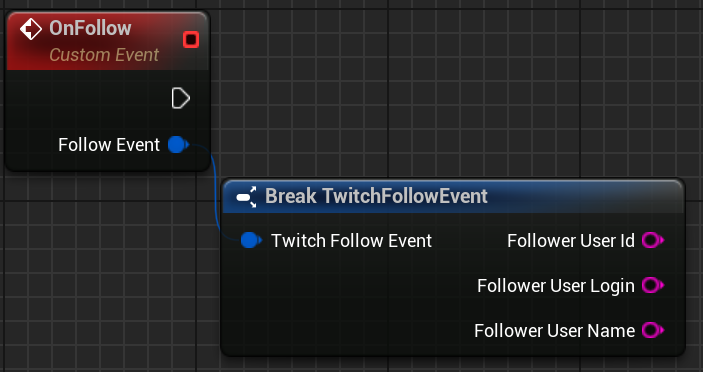
The OnFollow event triggers when a user starts following the logged in channel. The event contains some basic information (such as the ID and username) about the user that just started following your channel.
OnRaid
This feature is only available in TwiWorks 1.0.13 or later.
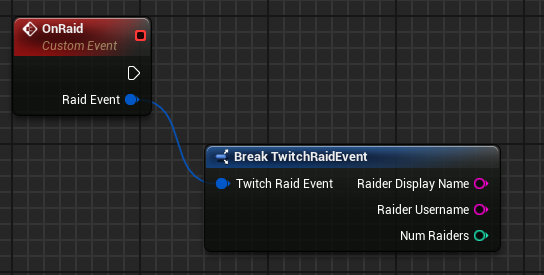
The OnRaid event will fire when another channel raids your channel. It will contain some information about the user that is raiding your channel, as well as the number of viewers that are partaking in the raid.
What's he difference between the Display Name and Username?
The Raider Display Name will contain the "user-friendly" name of the channel that is raiding you. This is likely what you'll want to use for an in-game pop-up. Please note that this may NOT always work with other TwiWorks nodes.
The Raider Username will contain the username/login name of the channel that is raiding you. This is likely what you'll want to use in your API calls to get information about the channel (such as its logo).
New to raids? You might want to check out this page.
OnPoints [EARLY ACCESS]
This feature is only available in TwiWorks 1.0.12 or later
This feature is in early access and comes as a best effort feature. Please exercise caution when using it in production, and be aware that we might not be able to help you solve your problems.
One of the most-requested features, as of writing, is support for the Twitch Points System. If you're unfamiliar with the Twitch Channel Points system, please take a look at this page first.
As of writing this part of the documentation, there are a few requirements/limitations to the Twitch Channel Points system. The key points will be listed below:
-
You (and the gamers using this functionality) must be a Twitch Partner or Affiliate to access the Channel Points features
-
TwiWorks no longer requires that events require text input, but support for events that do not require text input is highly experimental.
-
TwiWorks currently only provides you with the Reward ID and message (containing sender information). It does not not support any kind of reward resolution or name look up.
-
This feature is in early access, and due to the restricted access to this feature, we are unfortunately not able to provide (extensive) customer support for any issues you might encounter.
Before continuing, I would like to emphasize that this feature is in early access and comes as a best effort feature. Please exercise caution when using it in production, and be aware that we might not be able to help you solve your problems.
With that out of the way, please start by setting up your points rewards in your channel dashboard. You're free to customize the reward's name, description, price and branding to your hearts desire. Please do, however, ensure you turn on the require text input option, since failing to do so will result in the reward not being detected by TwiWorks.
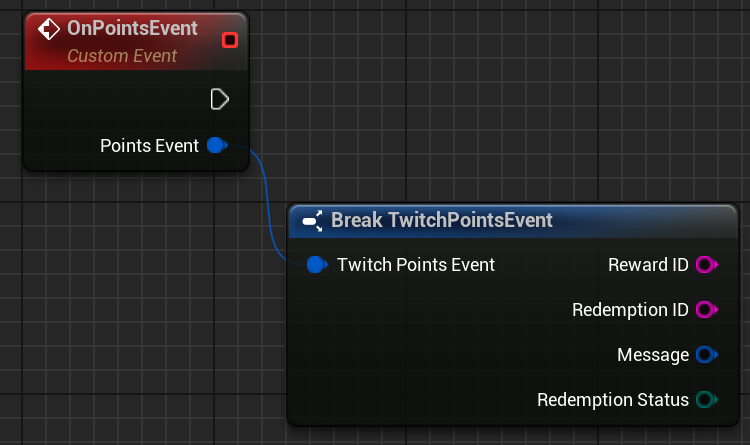
In Unreal Engine, you can create the OnPointsEvent as pictured in the image at the end of this section. You can then attach your own logic to this node, and use the sender information as well as reward identifier to launch in-game actions/events.
You'll likely want to play around with this node, and use the Print String node (printing the Reward ID) to figure out which Reward IDs correspond to each of your points events. Please do be aware that these reward identifiers will differ between channels. This means that if you're distributing your game to an audience of streamers with access to the channel points system, that you'll likely want to create a system where the streamer can set up their points event.
As an example, you could create a widget where they can select an in-game event, at which point you use TwiWorks to listen for point events sent by the logged in user (/the streamer), and update your game's data model with the appropriate reward ID.
Using Local Login? You'll likely need to add some additional OAuth scopes to your settings to make sure you're requesting access to the channel points system. In case you're using local login and aren't receiving any points notifications, please go to the OAuth Scopes section of TwiWorks' Local Login settings [Edit > Project Settings > (Plugins >) TwichWorks (> Local Login)]. In here, simply add channel:manage:redemptions and channel:read:redemptions to the list if they're not already present.
After doing this, you'll likely need to re-authorize your Twitch application when you log in. If you see it requesting something about channel point (rewards), you're likely in the clear!